POS Systems: What to Look for Before Buying One
-
 By ISACK-Junior FELIX
 - Technology
- 10-Jun-2025
- 3 minutes read
- 2,011 Views
A POS system is one of the most important investments a business can make. But many business owners buy POS systems without understanding what they truly need.
A POS system is one of the most important investments a business can make. But many business owners buy POS systems without understanding what they truly need.
Some buy based on price. Others buy based on what a friend is using. Some buy because “the software is famous.”
But the truth is: your POS should fit your business operations, not just look good.
✅ What is a POS system today?
A POS system used to mean a cashier computer with a receipt printer.
Today a modern POS is a full business management tool that handles:
- sales billing
- inventory tracking
- staff management
- customer records
- reporting and analytics
- discounts and promotions
- payments and control
✅ Why choosing the wrong POS is expensive
A wrong POS system will cost you in many ways:
- slow billing → customers leave
- missing stock tracking → losses and theft
- no reports → poor decisions
- poor support → business downtime
- limited scalability → you must replace it later
✅ Essential POS features you must have
Here’s what you should check before buying:
1) Speed and simplicity
During busy hours, a POS must be fast and easy to use. If billing is slow, your business suffers immediately.
2) Stock management
Your POS must reduce stock automatically when you sell.
If you must update stock manually, you’re not solving the problem.
3) Multiple payment methods
A modern POS should handle:
- Cash
- Mobile Money
- Bank
- Card
- Split payments (part cash, part mobile)
4) Discounts and promotions
Discounts must be controlled properly.
If staff can give any discount without approval, revenue leaks happen.
5) Staff user roles
Different users need different access.
Cashiers should not access price editing and reports.
6) Reports that matter
Your POS must show:
- daily sales report
- product performance
- staff performance
- profit estimates
- inventory movement
- low stock products
7) Backup and data safety
What happens when:
- computer crashes?
- power goes off?
- system corrupts?
A good POS must have reliable backup options.
8) Multi-branch readiness
Even if you have one shop today, your system should support growth tomorrow.
✅ POS hardware also matters
A POS is not only software. Hardware affects performance too.
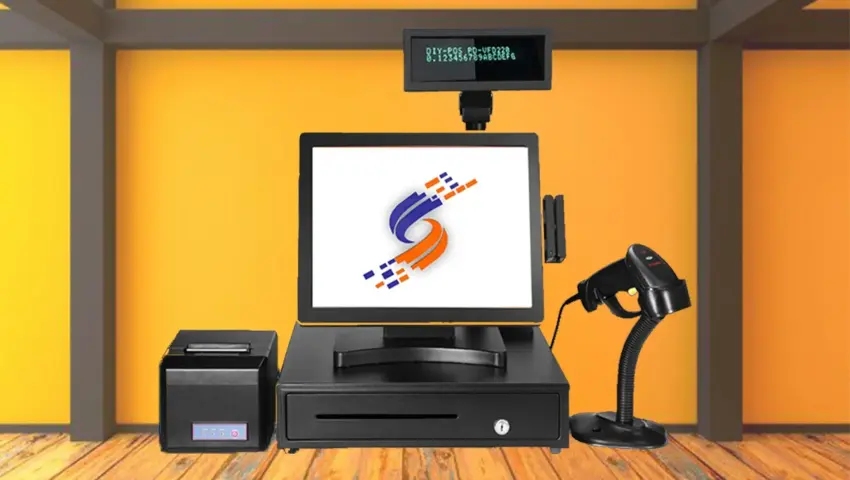
Recommended POS setup:
- POS computer / touchscreen
- receipt printer
- barcode scanner
- cash drawer
- stable network and power
- optional: label printer, weighing scale integration
✅ Common mistakes businesses make
❌ Choosing POS without training
❌ Choosing cheap POS with no support
❌ Using cracked/unlicensed systems
❌ Buying POS that cannot generate good reports
❌ Ignoring backups and network security
✅ How TSL Technologies provides POS solutions
TSL Technologies Ltd provides end-to-end POS support:
✅ needs assessment
✅ hardware recommendations
✅ software setup
✅ staff training
✅ ongoing support
✅ customization when needed
We focus on stability, speed, and accountability.
✅ Final Thoughts
A POS system should simplify your business, not complicate it.
Before buying, ask:
- Will this system protect my money?
- Will this system reduce losses?
- Will my staff use it easily?
- Will I get support if it fails?
If you want a POS that works and grows with your business, TSL Technologies Ltd is ready to support you.
ISACK-Junior FELIX
A creative and tech-savvy professional passionate about building smart digital solutions that simplify operations, improve efficiency, and drive business growth.